Quick answer: a software requirements brief is a short document (often 2 to 5 pages) that tells a developer what problem you want to solve, who will use the software, which features are must-haves for version one, what reports you need, which tools it must connect to, and your timeline. You do not need technical language. Clear examples, screenshots of your current Excel sheets and a list of user roles are more useful than jargon.
Many software projects go wrong before a single line of code is written. The business owner says "I need an app like this", the developer imagines something different, and weeks later both are frustrated. A simple, well-written brief prevents this. It helps you get accurate quotes, compare developers fairly and keep the project on track. This guide shows you exactly what to write, even if you have never written one before.
Why a requirements brief matters for business owners
Without a brief, every developer quotes for a different idea, so quotes cannot be compared. During the project, new features keep getting added, timelines stretch and costs rise. A brief puts everyone on the same page.
It also forces you to think clearly about what you actually need. Often, writing the brief reveals that version one can be much smaller than you thought, which means a faster launch.
What to include in your software brief
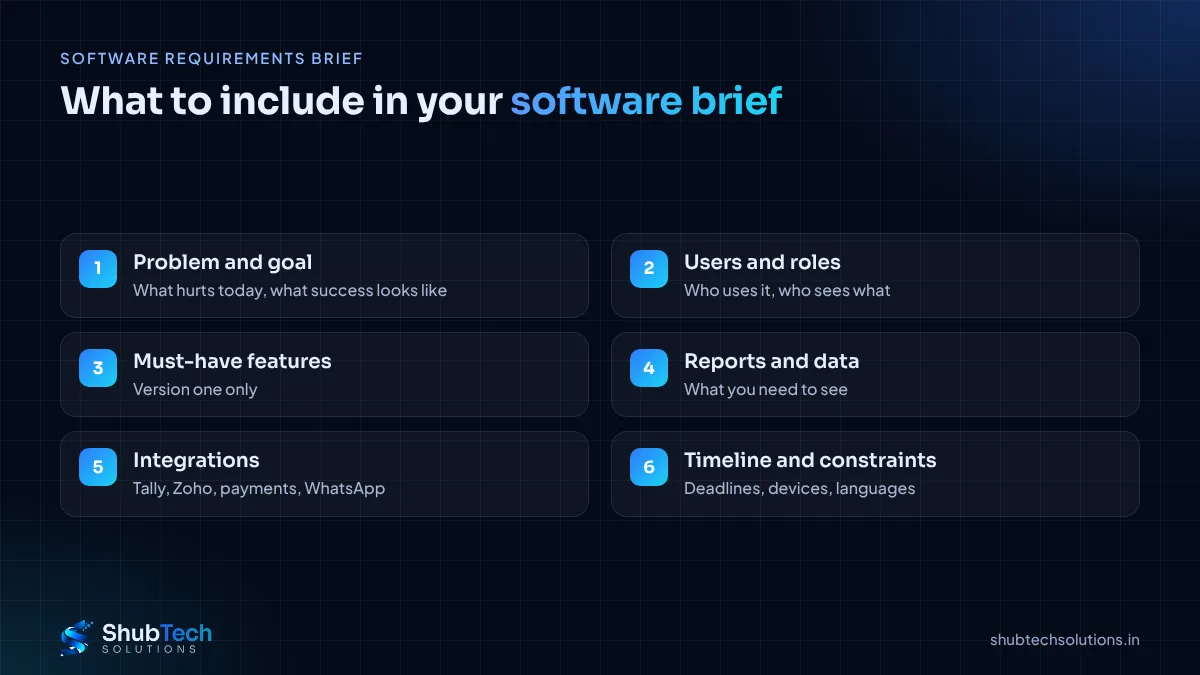
Background and problem. What does your business do, and what is not working today? For example: "Our 40 dealers place orders on WhatsApp, and we re-type each order into Tally."
Goal. What will success look like? "Dealers place orders themselves and orders reach Tally without re-typing."
Users and roles. List every type of user: customers, staff, managers, admin. Note what each can see and do.
Must-have features. Only what version one needs. Write them as user actions: "Dealer can see available stock", "Manager can approve orders above a credit limit".
Nice-to-have features. A separate list for later phases.
Reports and data. Which reports do you need daily, weekly or monthly? Attach sample Excel sheets.
Integrations. Tally, Zoho, payment gateway, SMS, WhatsApp, email or existing software.
Devices and platforms. Web, Android, iOS, or all. Will users be on desktop or mobile?
Constraints. Deadlines, languages, compliance needs and who will manage the system.
How to write your brief: step by step
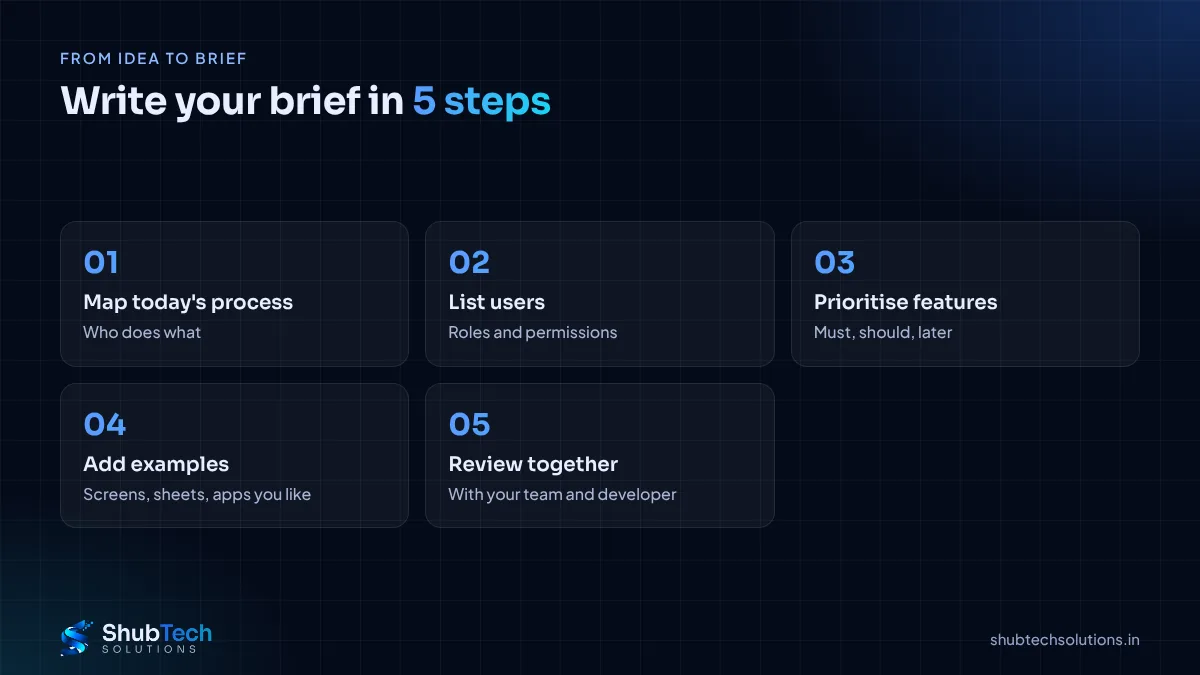
Map today's process. Write down who does what, using which tools, from start to finish. Note where time is wasted or mistakes happen.
Talk to the people who will use it. Your staff know the real pain points better than anyone.
Prioritise features. Use three labels: must have, should have, later.
Add examples. Screenshots of current sheets, forms you use, and apps you like (and why).
Review with your developer. A good developer will ask questions and suggest simpler ways to achieve the same goal.
A simple example
Problem: service engineers report job completion by phone; the office updates Excel at night, and invoices go out late.
Users: engineers (mobile), office coordinator (web), owner (reports).
Must-haves: engineer sees today's jobs, marks complete with photo and customer signature; coordinator assigns jobs; invoice is generated automatically on completion.
Later: customer tracking link, spare parts inventory.
That one paragraph already gives a developer enough to estimate and suggest an approach.
Tips by type of project
Internal tools: focus on current workflow, roles and reports.
Customer portals and web apps: describe what customers should do without calling you. Read web app vs website.
Mobile apps: include who uses the app, on what phones, and whether it must work offline. See how to plan an Android app.
Replacing existing software: list what works well today, so it is not lost.
Common mistakes to avoid
Describing the solution instead of the problem. "We need a chatbot" is weaker than "customers ask the same 10 questions daily".
Putting everything in version one. Big first versions run late.
Forgetting the admin side. Someone has to manage users, settings and data.
No examples. One screenshot can replace a page of explanation.
Not mentioning integrations early. They often affect time and approach the most.
How ShubTech helps
Not everyone has time to write a perfect brief, and that is fine. We help you turn your idea into a clear scope.
Discovery call: we ask the right questions about your process.
Written scope: features, roles, screens and integrations in plain language.
Phased plan: a focused version one and a roadmap for later.
Still deciding whether to build or buy? Read custom vs off-the-shelf software.
Frequently asked questions
How long should a software brief be?
Two to five pages is usually enough for a small or medium project. Clarity matters more than length.
Do I need technical knowledge to write one?
No. Describe your business, your users and what they need to do. The developer handles the technical side.
What is the difference between a brief and an SRS?
A brief is a business-level summary. A Software Requirements Specification (SRS) is a detailed technical document, often prepared by the developer from your brief.
Should I share my brief with multiple developers?
Yes. A common brief lets you compare quotes and approaches fairly. Use an NDA if needed.
Can the brief change during the project?
Yes, but changes should be discussed and agreed, since they can affect timeline and cost.
Final thoughts
A good brief describes the problem, the users, the must-have features and the tools to connect. Keep it simple, add real examples, and separate version one from later ideas. It is the cheapest way to make your software project succeed.
Need help scoping your idea? See our custom software development service or contact us for a free consultation.