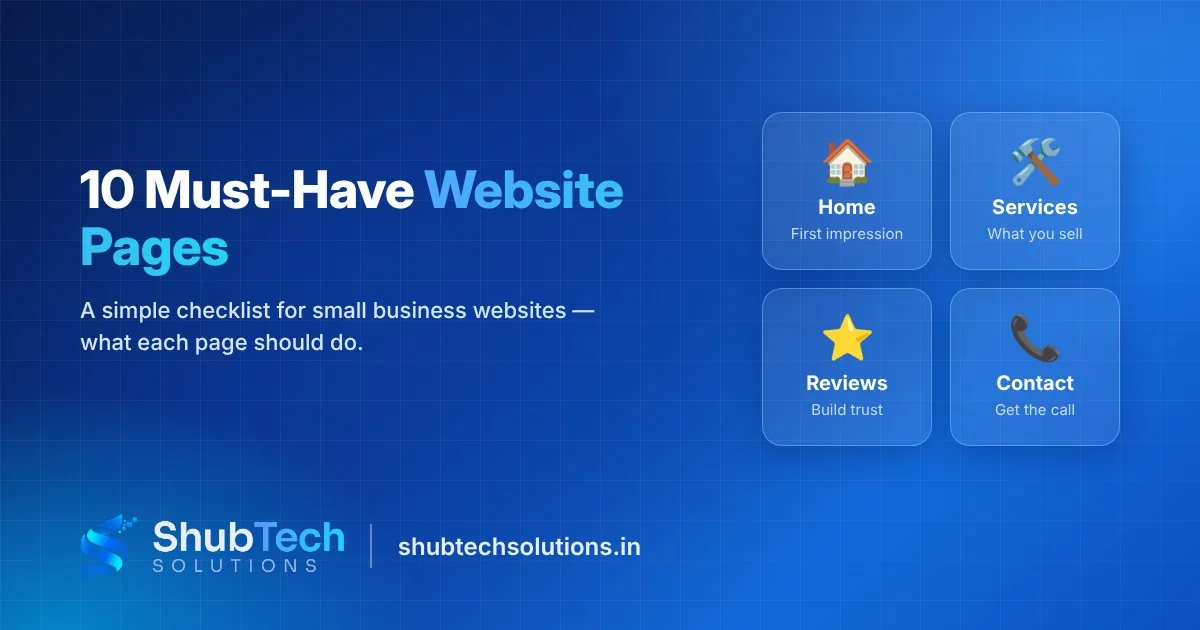
Quick answer: every small business website needs these 10 pages: Home, About, Services (or Products), individual service pages, Contact, Testimonials or Reviews, Portfolio or Case Studies, FAQ, Blog, and the legal pages (Privacy Policy and Terms). If you are just starting, launch with Home, About, Services, Contact and Privacy Policy, then add the rest as your business grows.
Most visitors decide in a few seconds whether to stay on your website or go back to Google. They are looking for three answers: what do you do, can I trust you, and how do I contact you? The right pages answer these questions before the visitor has to ask. This checklist walks you through each page, what to put on it and which ones you can add later.
Why the right pages matter for Indian small businesses
In India, most people find a local business on their phone, often through Google Search or Maps, and many compare two or three options before calling. A website with missing pages, no address or no clear contact button loses that customer to a competitor in seconds.
Pages also help Google. Each page can target a different search, such as "dental clinic in Pune" or "GST invoicing software for traders". One long page cannot rank for everything. A clear page structure gives Google more chances to show your business.
Finally, pages build trust. Real photos, an About page with your story, reviews and a physical address all tell the customer you are a genuine business.
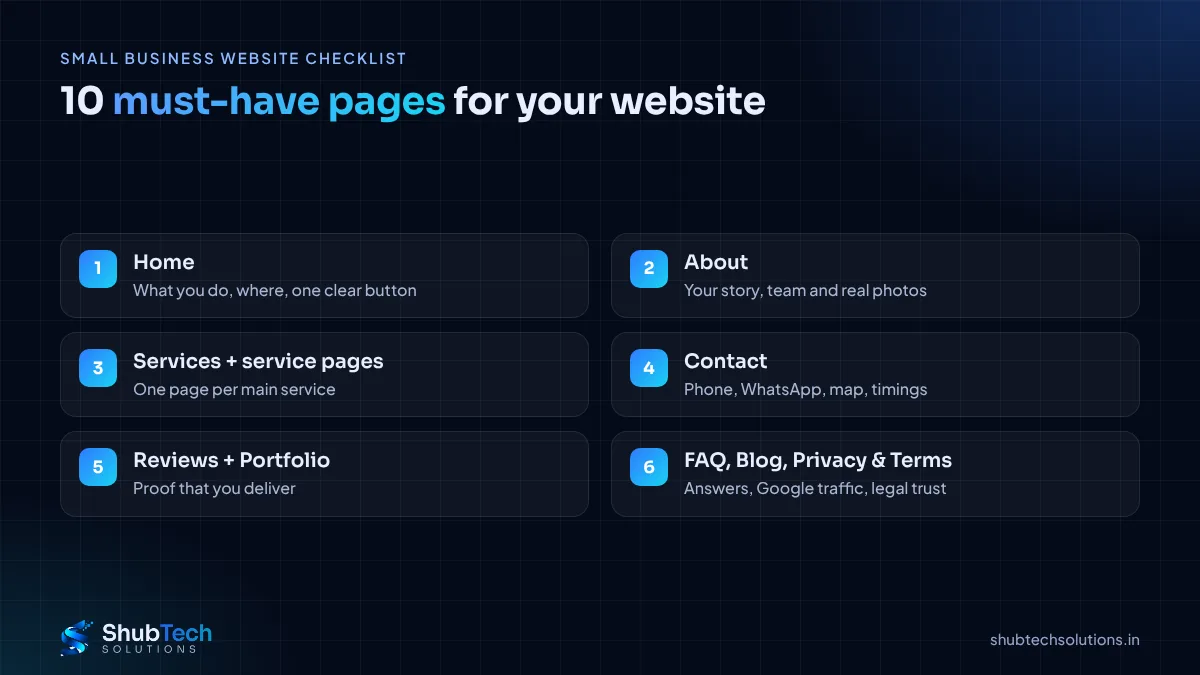
The 10 must-have pages for a small business website
1. Home page
Your home page is your shop window. In the first screen, say clearly what you do, who you serve and where you are. Add one main button such as "Call now", "WhatsApp us" or "Get a quote". Below that, show your top services, a few reviews and a short reason to choose you.
2. About page
People buy from people. Share how your business started, who runs it, your experience and what you believe in. Real photos of your team, shop or office work far better than stock images.
3. Services or Products page
An overview of everything you offer, with a short description and a link to each detailed page. Keep the language simple, the way customers actually talk about what they need.
4. Individual service pages
This is the page most businesses skip, and the one that brings the most Google traffic. Give each main service its own page with what it includes, who it is for, the process, FAQs and a contact button. A clinic might have separate pages for root canal, braces and teeth cleaning.
5. Contact page
Phone number, WhatsApp button, email, full address, a Google Map, working hours and a short enquiry form. Make the phone number tappable so mobile visitors can call in one tap.
6. Testimonials or Reviews page
Show real feedback with the customer's name, and a photo or business name where they allow it. You can also link to your Google reviews. Never write fake reviews; customers can tell, and it damages trust.
7. Portfolio or Case Studies page
Show your work: before-and-after photos, completed projects or short stories of how you solved a client's problem. For service businesses this page often closes the sale.
8. FAQ page
Answer the questions you get on every call: timings, delivery areas, payment options, how long a job takes. A good FAQ saves you time and helps you appear for question-based searches.
9. Blog or Resources
Helpful articles answer your customers' questions and bring visitors from Google over time. Even one useful post a month adds up.
10. Privacy Policy and Terms
If your website collects names, phone numbers or emails through a form, you need a Privacy Policy explaining how you use that data. Online stores also need Terms, Shipping and Refund policies, which payment gateways usually ask for before approving your account.
Which pages does your type of business need first?
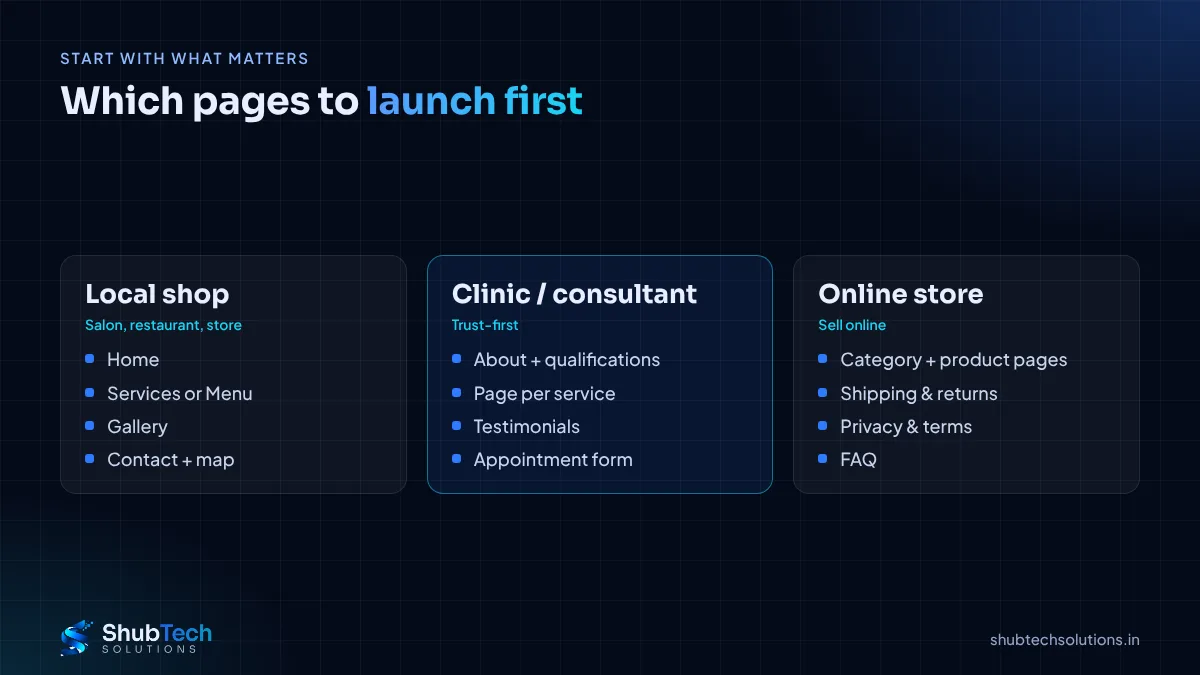
Local shop, salon or restaurant: Home, About, Services or Menu, Gallery, Contact with map and timings. Pair the site with a strong Google Business Profile.
Doctor, clinic or consultant: Home, About (with qualifications), one page per treatment or service, Testimonials, FAQ, Contact with appointment form.
B2B company or manufacturer: Home, About, Products with detailed specifications, Industries served, Case Studies, Contact with an enquiry form.
Online store: Home, Category and Product pages, About, Contact, FAQ, plus Shipping, Returns, Privacy and Terms. See how to start an online store in India.
Startup: a strong Home or landing page, About, Pricing or How it works, FAQ and Contact. Expand as you learn what customers ask.
How to plan your website pages step by step
Write your main goal. Calls, WhatsApp messages, appointments or online sales. Every page should support that goal.
List your services. Decide which ones deserve their own page. Start with the services that bring the most revenue.
Collect customer questions. Write down what people ask on calls and WhatsApp. These become your FAQ and blog topics.
Gather proof. Reviews, project photos, certificates and client logos.
Draw a simple sitemap. A list of pages and how they link to each other is enough.
Write content before design. Design works better when the real text is ready.
Launch, then add. Go live with the essentials and add the remaining pages month by month.
What every page should include
A clear heading that says what the page is about.
A unique page title and meta description for Google.
A call-to-action button: call, WhatsApp or enquiry form.
Fast loading and a layout that works well on a phone.
Links to related pages so visitors keep exploring.
Common website page mistakes to avoid
Putting everything on one page. It is hard to read and hard for Google to rank.
Hiding contact details. Your phone number and WhatsApp should be visible on every page.
Using only stock photos. Real photos build far more trust.
Copying text from competitors. Duplicate content hurts rankings and credibility.
Forgetting the legal pages. Payment gateways and customers expect them.
Never updating the site. Old offers, wrong timings and broken links tell visitors the business may be closed.
How ShubTech builds your website pages
At ShubTech we start with your goal and your customers, then plan the pages before any design work begins. Every site we build includes:
A page plan: a clear sitemap based on your services and how customers search.
Mobile-first design: tappable phone and WhatsApp buttons on every page.
SEO-ready structure: proper headings, page titles and descriptions for each page.
Easy updates: add new service pages and blog posts as you grow.
Wondering what a site like this involves? Read what decides the cost of a business website in India.
Frequently asked questions
How many pages should a small business website have?
Most small businesses do well with 5 to 10 pages at launch. What matters more is that each page has a clear purpose.
Is a one-page website enough?
It can work for a new business or an ad campaign, but separate service pages give you far more chances to appear on Google.
Do I really need a Privacy Policy?
Yes, if your site collects any personal details through forms. Online stores also need Terms, Shipping and Refund pages for payment gateways.
Should I have a blog on my business website?
A blog is not required on day one, but regular helpful posts bring steady visitors from Google over time.
What should be on the home page?
What you do, who you serve, where you are, one clear action button, your main services and a few reviews.
Can I add pages after the website is live?
Yes. A well-built website makes it easy to add new pages without a redesign.
Final thoughts
A good business website is not about having many pages. It is about having the right ones: pages that tell visitors what you do, prove you are trustworthy and make contacting you easy. Start with the essentials, add service pages and FAQs, and keep the site updated.
Want help planning your pages? See our website development service or contact us for a free consultation. You can also read domain vs hosting if you are setting up your first site.